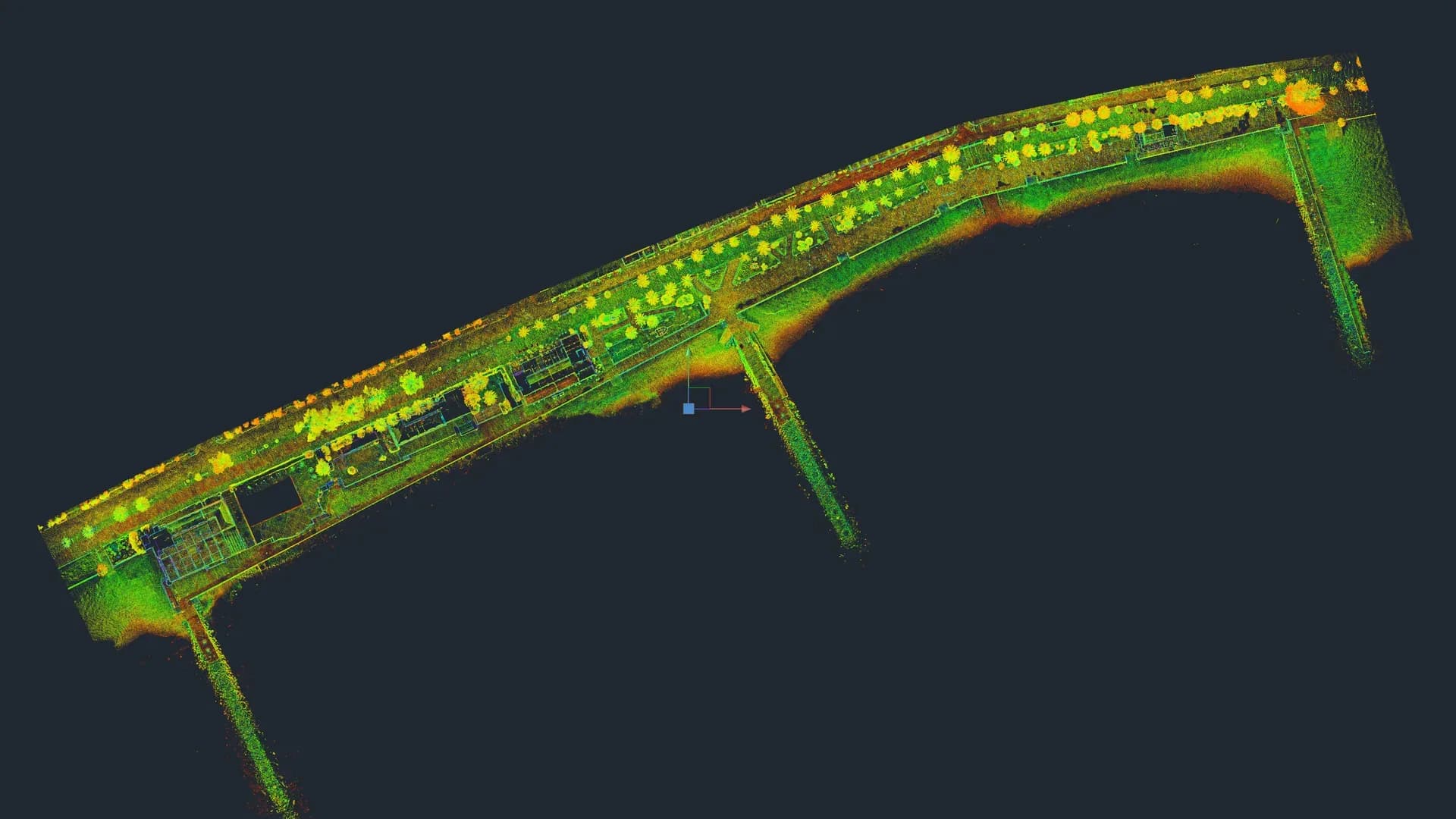
Scan to BIM is the process of converting a point cloud obtained through 3D laser scanning into a parametric BIM model (usually Revit or Archicad) that can be used as the basis for an architecture, refurbishment or MEP project.
It sounds simple, but the detail matters: what level of detail is modelled, which elements are parameterised, what is left as generic geometry and what is documented in 2D. Those decisions are what make a Scan to BIM either useful or wasted money.
From point cloud to model: the real workflow
The full workflow has four steps. We describe them as we do them at Registra3D:
1. On-site capture
The building is scanned with a professional 3D laser scanner. In our case, a Trimble X7 that captures with 2 mm accuracy at 10 m and reaches up to 80 m. Stations are planned to cover the whole building without gaps and to minimise occlusions (object shadows).
2. Cloud registration and cleanup
In the office, the stations are registered against each other. The Trimble X7 has auto-registration: each station aligns with the previous ones during the scan itself, with no need for targets. This saves hours of office work compared with scanners that require manual registration.
The cloud is then cleaned (people, irrelevant furniture and noise are removed) and oriented to coordinates (architectural or geographic).
3. BIM modelling on the cloud
The registered cloud is loaded into Revit or Archicad. The modeller redraws on top of it, creating parametric families: walls, slabs, roofs, windows, doors, columns, visible MEP.
This is where the concept of LOD (Level of Development) comes in, defining how much information each model element carries.
4. Delivery and documentation
The BIM model is delivered in native format (.rvt, .pln) together with documentation outputs (plans, elevations, sections in PDF and DWG). The point cloud is archived and can be linked to the model for future queries.
Levels of Development (LOD): what is modelled and what is not
LOD determines the cost and usefulness of the model. The most common levels in Scan to BIM of buildings are:
| LOD | What it includes | What it is used for |
|---|---|---|
| LOD 200 | Approximate geometry correctly positioned. Walls, slabs, roofs, windows and doors as volumes with real dimensions but without construction detail. | Feasibility studies, outline designs, general coordination. |
| LOD 300 | Exact geometry with generic construction details: wall build-up, real thicknesses, typical joinery, main finishes. | Concept design, refurbishment documentation. |
| LOD 350 | LOD 300 plus connections between elements, interferences between services, modelled construction junctions. | Technical design, multi-disciplinary coordination. |
Levels 100-500 were defined by the AIA (American Institute of Architects); LOD 350 was added by BIMForum as an intermediate subdivision. It is not an ISO standard but an industry standard that is widely accepted.
A common mistake is to request LOD 400 or 500 on the existing state. It does not add value: manufacturing and nominal as-built only apply to newly designed elements, not to existing walls built 80 years ago.
What we deliver in Scan to BIM is LOD 200-300 with full geometry: walls, slabs, roofs, joinery, openings, visible structure. What is not included by default: specific materials by type (mortar composition, internal insulation characteristics, etc.) or forged ironwork detailing in historic buildings. If the project requires them, they are quoted separately.
Typical software
The Scan to BIM ecosystem in Spain is concentrated around:
- Autodesk Revit: the de facto standard in architecture and engineering. It reads clouds in
.rcp/.rcsformat (processed with Autodesk ReCap). - Archicad: a solid alternative, especially in small and mid-sized practices. Native point cloud support since version 22.
- Rhino + Grasshopper: for non-orthogonal geometries (heritage, singular roofs). Very powerful, with less standard documentation.
- Cyclone / TBC / Pointfuse: cloud processing prior to moving into BIM.
For the end client, it is almost always Revit. Archicad is common in small-scale refurbishments and in practices with an established Archicad workflow.
When Scan to BIM pays off
Scan to BIM clearly pays off in:
- Refurbishment of existing buildings without reliable drawings. The value of starting from the real state pays for itself on a single avoided site visit.
- Multi-disciplinary projects (architecture + structure + MEP) where coordination in BIM prevents clashes during construction.
- Projects with tight schedules to document the existing state: a full cloud can be captured in 2 days on site.
- Buildings with irregular geometry (non-parallel walls, sloped slabs, vaults) where measuring by hand is imprecise by definition.
When it does NOT pay off (and we say so)
It does not pay off in:
- Small remodels (a bathroom, a kitchen) where the level of detail does not justify BIM modelling.
- New build with no complex existing conditions: modelling the project directly is more efficient than scanning a plot.
- Clients without a BIM workflow: if the designer does not use BIM, delivering a Revit adds nothing to them; a clean DWG and accurate elevations solve the problem better.
Before accepting a Scan to BIM engagement, at Registra3D we ask what the client will actually use the model for. If the answer is "I do not know, just to have it", we usually recommend a 2D As-Built DWG and we save ourselves hours and the client money.
Common mistakes worth avoiding
These are mistakes we see in clouds and models delivered by third parties that we later have to fix:
- Non-georeferenced cloud. It then becomes hard to integrate with topography, cadastre or models from other teams.
- Inconsistent LOD: parts of the model at LOD 300 and others at LOD 200 without documentation. It creates confusion during coordination.
- Generic families everywhere: the model adds no information, it is just shape.
- Omitting visible services: in refurbishment, leaving out existing MEP forces a return to site.
- Not delivering the cloud to the client: the cloud is the raw data. It must stay with the client so they can verify or request extensions later without repeating the scan.
Realistic timescales
For an average residential building (500-800 m² built, 3 storeys):
- On-site (scanning): 1-2 days
- Cloud registration and cleanup: 1-2 days
- LOD 300 modelling in Revit: 8-12 working days
- Documentation (plans, elevations, sections): 2-3 additional days
Typical total lead time: between 3 and 5 weeks from visit to delivery of the model and documentation.
Frequently asked questions
Do you deliver Revit in native version or IFC? Both. Native .rvt plus IFC 4 export for interoperability. The Revit version is agreed in advance (typically the one the client uses).
Can Scan to BIM be modelled from a cloud captured by a third party? Yes, as long as the cloud has sufficient quality and is georeferenced. We run a free prior audit before quoting.
Do you include MEP modelling? Visible MEP (HVAC, exposed drainage, exposed electrics) is included by default at LOD 300. Hidden MEP is not (it cannot be scanned). It can be modelled from as-built drawings provided by the client.
In which format is the cloud delivered? .rcp/.rcs (Autodesk ReCap) by default. On request: .e57, .las, separate .rcs.
Do you have a building to refurbish and need the BIM of the existing state? Tell us about the project and within 24 h we will come back with recommended LOD, timeline and a fixed quote. Let us talk about your project.
Cover image: Archdraw · Wikimedia Commons · CC BY-SA 4.0
← Back to blog