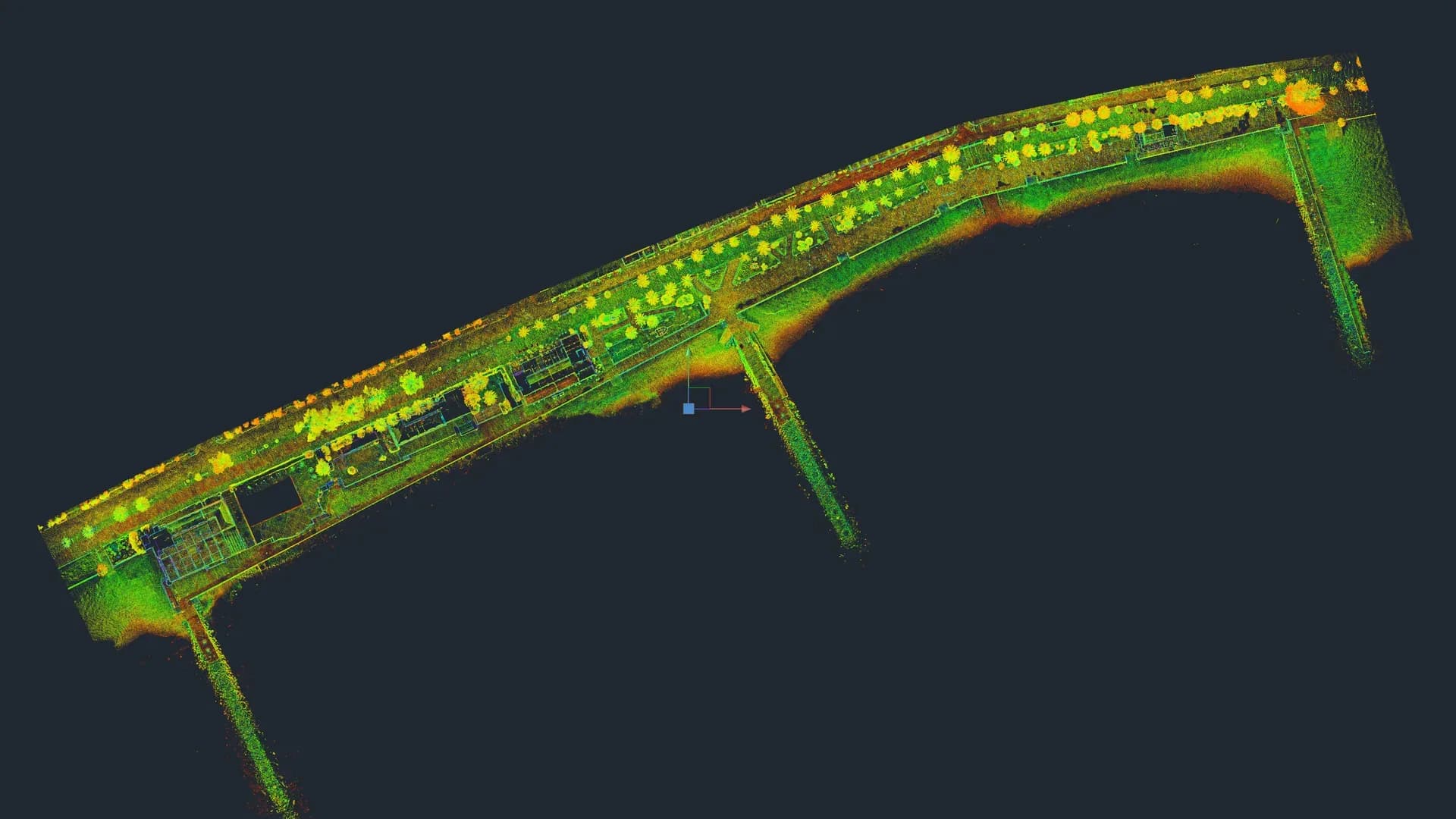
A point cloud is a set of millions of 3D points that represent the surface of a space or an object. Each point has X, Y, Z coordinates and, usually, additional information: laser intensity, true colour (RGB) and source station number.
It is the raw data of any 3D laser scan. Everything else — DWG drawings, BIM models, topography, digital twins — is generated from it. Understanding what it is and which format to ask for prevents problems later.
Where the point cloud comes from
A point cloud is typically obtained from:
- Terrestrial Laser Scanner (TLS) such as a Trimble X7, Leica RTC360 or Faro Focus. Millimetre accuracy, ideal for buildings and interiors.
- Mobile Laser Scanner (MLS) mounted on a backpack, vehicle or robot. Captures faster but with lower accuracy.
- UAV with LiDAR or photogrammetry. For extensive exteriors, terrain, roofs.
- Pure photogrammetry (camera + software). Variable accuracy; useful where laser is not practical.
At Registra3D we work with TLS Trimble X7: 2 mm point noise at 10 m, 80 m range and an integrated 360° HDR camera that adds true colour to the cloud. For aerial coverage we collaborate with AESA-certified drone pilots when the project requires it.
What each point contains
A "rich" point cloud includes, per point:
| Field | What it is | What it is used for |
|---|---|---|
| X, Y, Z | 3D coordinates | The basis of everything. Drawings, BIM, topography. |
| Intensity | Laser reflectivity (0-255) | Black-and-white "photo" style visualisation. Useful for spotting material changes. |
| RGB | True colour from the camera | Realistic visualisation, documentation. |
| Scan ID | Which station the point belongs to | Station filtering, error detection. |
| Normal | Surface direction at that point | Classification and meshing algorithms. |
Not all clouds include every field. It is worth asking the provider.
Point cloud formats: what to ask for
There are many formats, but these are the ones you will actually come across:
E57 — open standard
Recommended default format if you are unsure. It is an open ASTM standard (ASTM E2807) supported by practically every software. Stores X, Y, Z, RGB, intensity and per-station metadata.
Advantages: universal, open, licence-free. Drawbacks: can be heavier than optimised binary formats.
LAS / LAZ — topographic standard
Standard format in topography and civil engineering. .las is the binary; .laz is the compressed version.
Advantages: standard in topography, DTM, cartography. Drawbacks: oriented to cloud data without per-station structure.
RCP / RCS — Autodesk ReCap
Native format of Autodesk ReCap, required to work smoothly in Revit and other Autodesk products. .rcs is a single cloud; .rcp is a project with several referenced clouds.
Advantages: essential for Revit. Drawbacks: Autodesk-proprietary, not open.
PTS / PTX / XYZ — ASCII
Plain-text formats. Human-readable but very heavy and slow. Useful only for testing or occasional interchange.
Cyclone / Leica — manufacturers
Each manufacturer has its internal format (Cyclone, Trimble RWP, Faro FLS). Useful within the ecosystem, always request conversion to E57 or RCP for delivery.
What to ask your provider
As a client, ask for:
- The registered and georeferenced cloud (if applicable), not the separate stations unmerged.
.e57+.rcp/.rcsformat as a minimum. E57 is your master archive; RCP lets you work in Revit without processing it yourself.- Real RGB (with colour) alongside intensity. It costs nothing extra if the scanner camera captures it.
- Technical summary: declared accuracy, number of stations, capture date.
- Optional but useful: "unified" cloud (all stations in a single file) and "per-station" cloud (each scan separately).
How the cloud is used on projects
In architecture and BIM
The cloud is loaded into Revit, Archicad or similar as a reference. The modeller draws on top of it walls, slabs and joinery. It is the basis of the Scan to BIM workflow.
In topography and civil engineering
The cloud is classified (ground, vegetation, buildings) and a DTM (Digital Terrain Model), contour lines and triangulated meshes are generated. It is used for volume calculations, topographic drawings and urban design projects.
In construction monitoring
Clouds captured at different phases allow you to compare the real state against the project and detect deviations. Very useful in structures, industrial facilities and civil engineering.
In heritage and expert reports
The cloud remains a permanent archive of the state on a given date. For cultural heritage it is an essential "digital twin" for conservation. For expert reports it is objective geometric evidence.
In visualisation and communication
There are platforms (Autodesk Viewer, Potree, Cintoo) that let you publish the cloud in a web browser. Anyone with a link can navigate it without installing software. Very useful for communication with clients and distributed teams.
Realistic sizes
To set expectations, a cloud of a full residential building can weigh:
- Raw uncompressed cloud: 20-80 GB (depending on number of stations).
- Optimised E57 cloud: 5-20 GB (ASTM E2807 standard, not ISO).
.rcpcloud for Revit: 1-5 GB (ReCap optimises and decimates).- Web-compressed cloud (Potree): 200-800 MB.
One of the largest we have processed was Edificio España in Madrid (the former Barceló nightclub, 7 floors full of recesses, level changes, columns and partitions). The registration took days and the final project took up tens of GB between cloud, DWG drawings and textured mesh.
An average office computer can work with .rcp clouds without issues. Working with raw clouds requires a workstation with decent RAM and GPU.
Common mistakes when receiving a cloud
These are frequent issues we see in clouds delivered by less rigorous providers:
- Unregistered cloud (the stations are not merged together). Impossible to work with.
- Non-georeferenced cloud when the project requires it.
- Cloud with excessive noise (people, furniture, dust) not cleaned up.
- Proprietary format with no conversion:
.rwpor similar without an attached.e57. - Missing colour when the scanner did have a camera.
Always request a sample of 1 station before engaging a large project. In 5 minutes you can tell whether the quality is adequate.
Frequently asked questions
Can I open a cloud without paid software? Yes. CloudCompare (free, open source) opens E57, LAS and most formats. Potree is also available for web clouds.
Is the cloud alone enough for my architecture practice? Only if your team knows how to work with it. The usual delivery is cloud + DWG drawings or + BIM model, so the architect works on already-processed deliverables.
Does the cloud expire? No. It is geometric data of the state of the building on a given date. If the building changes (refurbishment, demolition, extension), the old cloud remains valid as a historical record.
Can I request partial clouds (only facades, only one floor)? Yes, but it usually costs almost the same as the full cloud because the crew time is the same. We recommend scanning the whole building and delivering only what is needed; that way it is archived in case it is needed later.
If you need a point cloud for your project — architecture, BIM, topography, heritage, expert reports — tell us about the case and within 24 h we will come back with format, accuracy and a quote. Request information.
Cover image: Daniel L. Lu · Wikimedia Commons · CC BY 4.0
← Back to blog