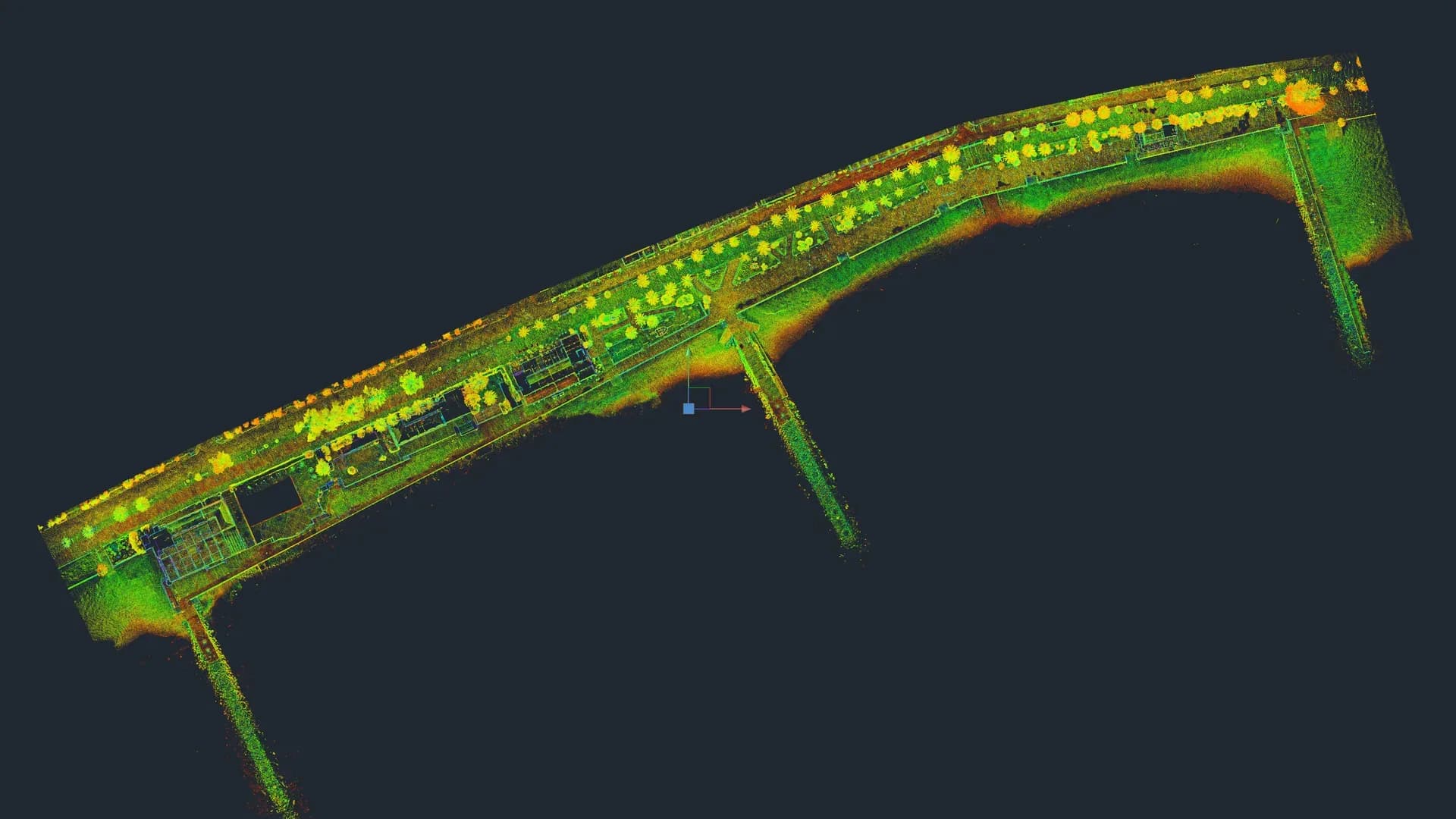
An As-Built survey is the documentation of the real state of a building, site or infrastructure. It differs from the original drawings in that it records what is actually built today, not what the project said. Without a reliable As-Built in refurbishment, change of use or expert reports, any later calculation carries the error through to site.
Where we see this clearly every week: a nightclub with circular floor plans that drawings represent as straight, a masía with walls that are not parallel by a metre and with vaulted ceilings, the curved custom-made sofas at Sutton Club. All of that by hand, with tape and square, is half a field-engineering exercise and three weeks of work. With a terrestrial laser scanner it takes a few hours and the geometry is recorded as-is.
There are two main ways of producing an As-Built: manual measurement and 3D laser scanning. Neither is always better. It depends on the project.
What exactly is an As-Built
An As-Built (also called as-is, "current state" or "survey") produces, at a minimum:
- Dimensioned plans of all levels.
- Elevations for relevant exterior and interior walls.
- Sections along critical axes.
- Graphic or photographic record of the condition of construction elements.
Depending on the project, additional items are added: drawings of visible services, construction details, georeferenced external volumetry, or the full BIM model (Scan to BIM).
Manual measurement: how it is done and what it costs
Traditional manual measurement uses a laser distance meter, tape measure, square and plumb line. The technician takes discrete measurements and sketches by hand. Everything is then drawn in CAD back in the office.
It is a valid method, proven for decades, and for small and orthogonal jobs it is perfectly efficient.
Advantages:
- Low cost on small jobs (a regular 90 m² flat can be measured in half a day).
- No special equipment beyond the distance meter is required.
- Suitable for clients who do not need millimetre accuracy.
Limitations:
- It depends on the technician's judgement: measurements that are not taken do not exist later.
- Typical accuracy of ±1-2 cm, which accumulates across measurements.
- Not verifiable: if a doubt arises during design, you have to return to site.
- Poor on irregular geometries (historic buildings, non-parallel walls, vaults).
- Slow on large buildings: 300 m² may take 2-3 days on site.
3D laser scanning: how it is done and what it costs
3D laser scanning captures all the visible geometry of the building across a series of stations. With a Trimble X7, each station takes around 3-5 minutes and captures millions of points at 2 mm accuracy at 10 m.
In the office, the point cloud is registered, cleaned and used as the basis for drawing exact plans, elevations and sections in DWG, or for BIM modelling.
Advantages:
- 2 mm accuracy at 10 m (Trimble X7). Far superior to any manual measurement.
- Captures everything visible: if a design query comes up, the cloud answers it without a site return.
- Irregular geometries are captured automatically (they are no harder than regular ones).
- Very short on-site time: a 500 m² building can be scanned in 1 day.
- Traceability: the cloud is archived, can be delivered to the client and audited.
Limitations:
- Higher fixed cost on small projects: for a single 40 m² unit, manual is cheaper.
- Requires equipment and training: the professional has to know how to process the cloud and move it to DWG or BIM.
- Interiors with reflective surfaces (large glazing, mirrors) require additional planning.
Direct comparison by typical project
| Project | More efficient method | Why |
|---|---|---|
| Orthogonal unit 40-80 m² | Manual | Fixed scan cost does not pay off |
| Regular 90-120 m² residential flat | Either works | Depends on price and required accuracy |
| Detached house 200-400 m² | 3D scanner | Several floors, exterior, garden |
| Multi-family building 500-2,000 m² | 3D scanner | On-site time impossible by hand |
| Heritage / irregular geometry | 3D scanner mandatory | Manual is not viable for the required accuracy |
| Industrial warehouse / hangar | 3D scanner mandatory | Large volumes and complex structures |
| Civil engineering / extensive exteriors | 3D scanner + GNSS | Georeferencing and volumes |
On-site time: real comparison
Approximate data from real projects:
- Detached house 250 m² over 2 floors: 1.5 days by hand vs 0.5 days with scanner.
- Multi-family building 800 m² over 4 floors: 4-5 days by hand vs 1 day with scanner.
- Church with complex geometry: 1 week by hand (with questionable accuracy) vs 1-2 days with scanner.
- Logistics warehouse 2,500 m²: impossible by hand with accuracy; 1 day with scanner.
The scanner adds most value when on-site time is critical (active site with restricted hours, occupied building, technical shutdown week in industry).
Cost: they are not always more expensive
A common mistake is assuming that 3D scanning always costs more. It does not. On medium and large projects, the scanner's field cost is lower than the equivalent manual measurement (because on-site time is 3-5 times shorter).
What can make it more expensive is the deliverable: if the client wants a full LOD 350 BIM model, the cost goes up. But if you compare "DWG As-Built" against "DWG As-Built", the scanner typically comes out at the same price or cheaper on jobs over 300 m².
That is why at Registra3D we do not give a default price: we quote each project after understanding which deliverable the client needs.
What to ask your As-Built provider
Regardless of the method, when commissioning an As-Built always ask for:
- Declared accuracy (in cm or mm) and verification method.
- Format and version of the DWGs (and which layer conventions are used).
- Plans of all 6 faces of the building, not just the obvious ones.
- Dimensions on the drawings, not just geometry without dimensions.
- A post-delivery review visit to resolve questions.
- On 3D scanning: the cloud delivered in a standard format (
.e57,.lasor.rcs).
Frequently asked questions
Can I commission the survey only, with no drawings? Yes. We deliver the registered raw point cloud; the client handles the drawings in-house. Useful for practices with their own BIM team.
Does scanning work in occupied buildings? Yes, with planning. Time slots are agreed and stations selected to avoid areas with movement.
How long does DWG drawing take from the cloud? For an average residential building, between 5 and 10 working days. For LOD 300 BIM, between 3 and 5 weeks.
Can I do a manual survey first and a scan later if problems arise? Yes, but it is more expensive than going straight to scanner. If you are unsure which is best, we will assess it with no commitment.
Do you have a refurbishment or handover project and need an As-Built? Tell us about the case and within 24 h we will tell you which method pays off and how much it would cost. Request a quote.
Cover image: historical floor plan Arbeiterwohnhaus 1897 · Wikimedia Commons · Public domain
← Back to blog